Table of Contents

Code generation

RinkuPowerTools is a Visual Studio extension. You list your queries once, it connects to the database, infers each query's parameters and result columns, and generates strongly-typed C# you check in.

Status. RinkuPowerTools is early in development. SQL Server and Visual Studio only for now.

static readonly CachedTypeParser<List<GetTracksByAlbumResult>> Tracks = new();

using var cnn = new SqlConnection(connectionString);

// GetTracksByAlbum is generated ADO.NET. The cache maps the rows.
List<GetTracksByAlbumResult> tracks = Tracks.Query(cnn.GetTracksByAlbum(albumId: 1));

The generated method builds the DbCommand with no Rinku dependency. Pairing it with mapping fits naturally. The generated result records are exact column mirrors, so the rows map straight through, run through a cache as on any DbCommand.

The workflow

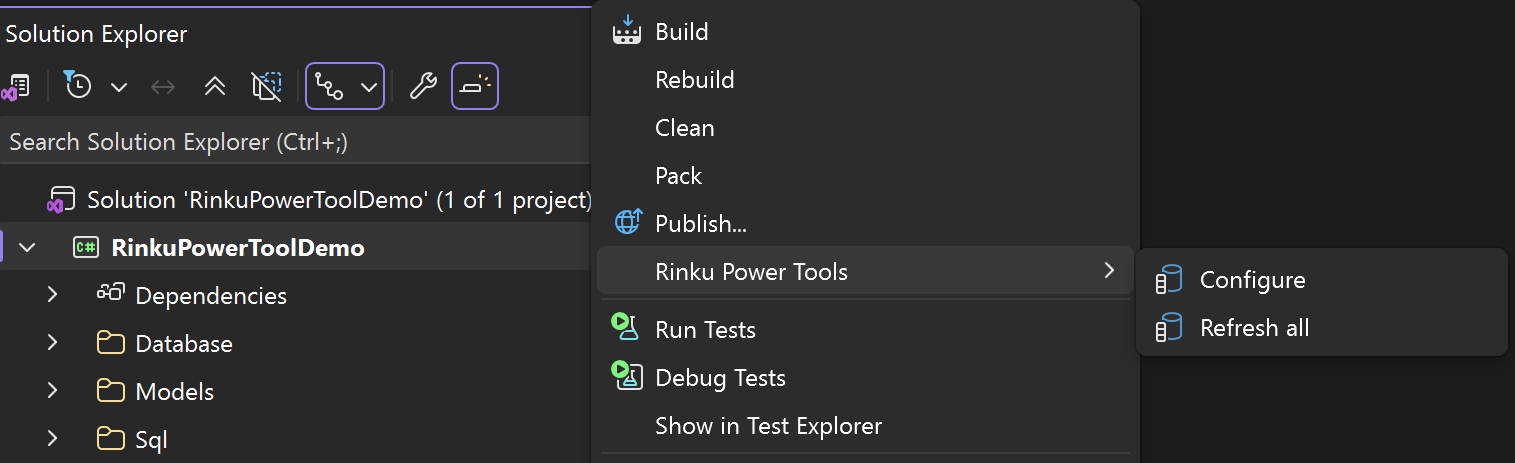
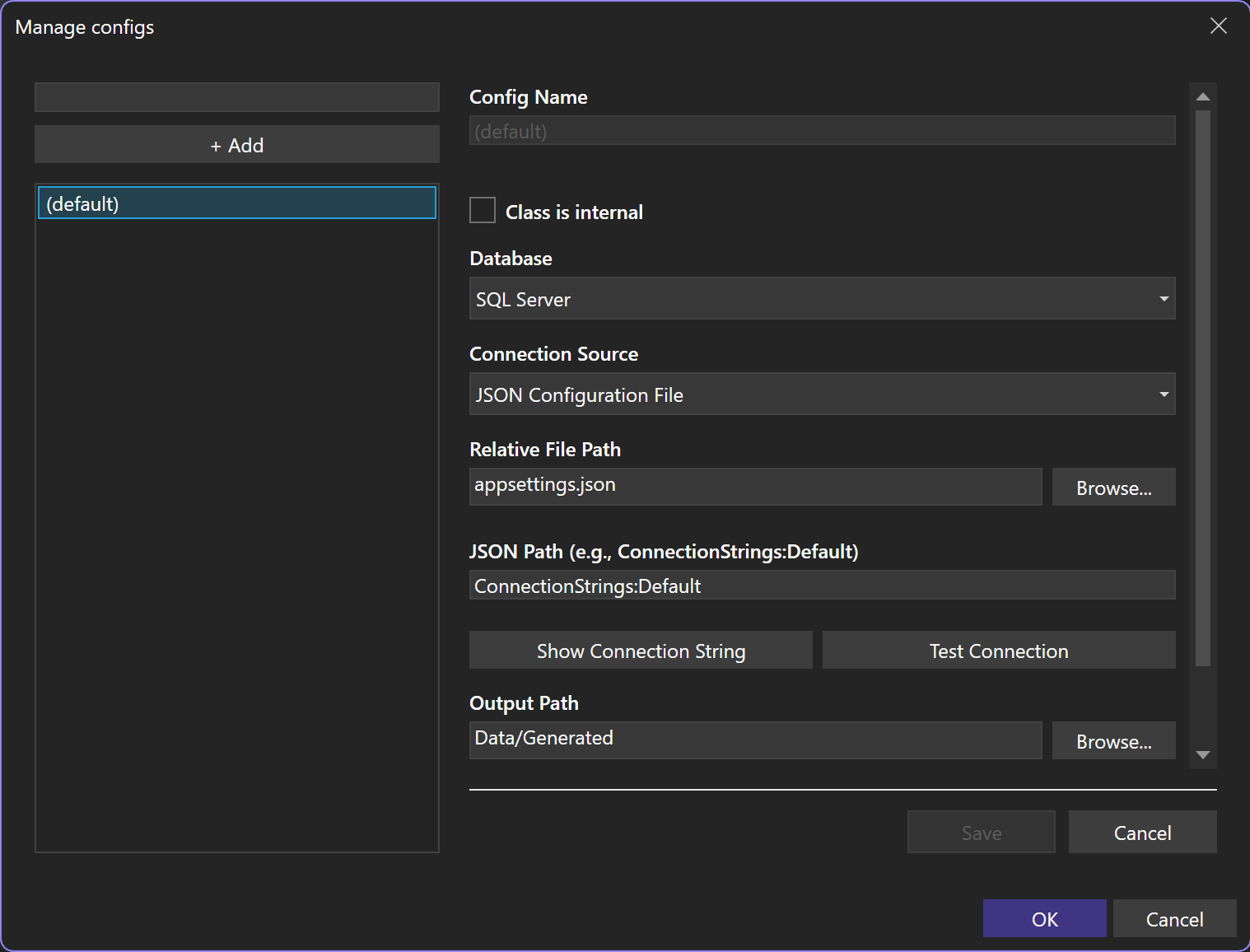
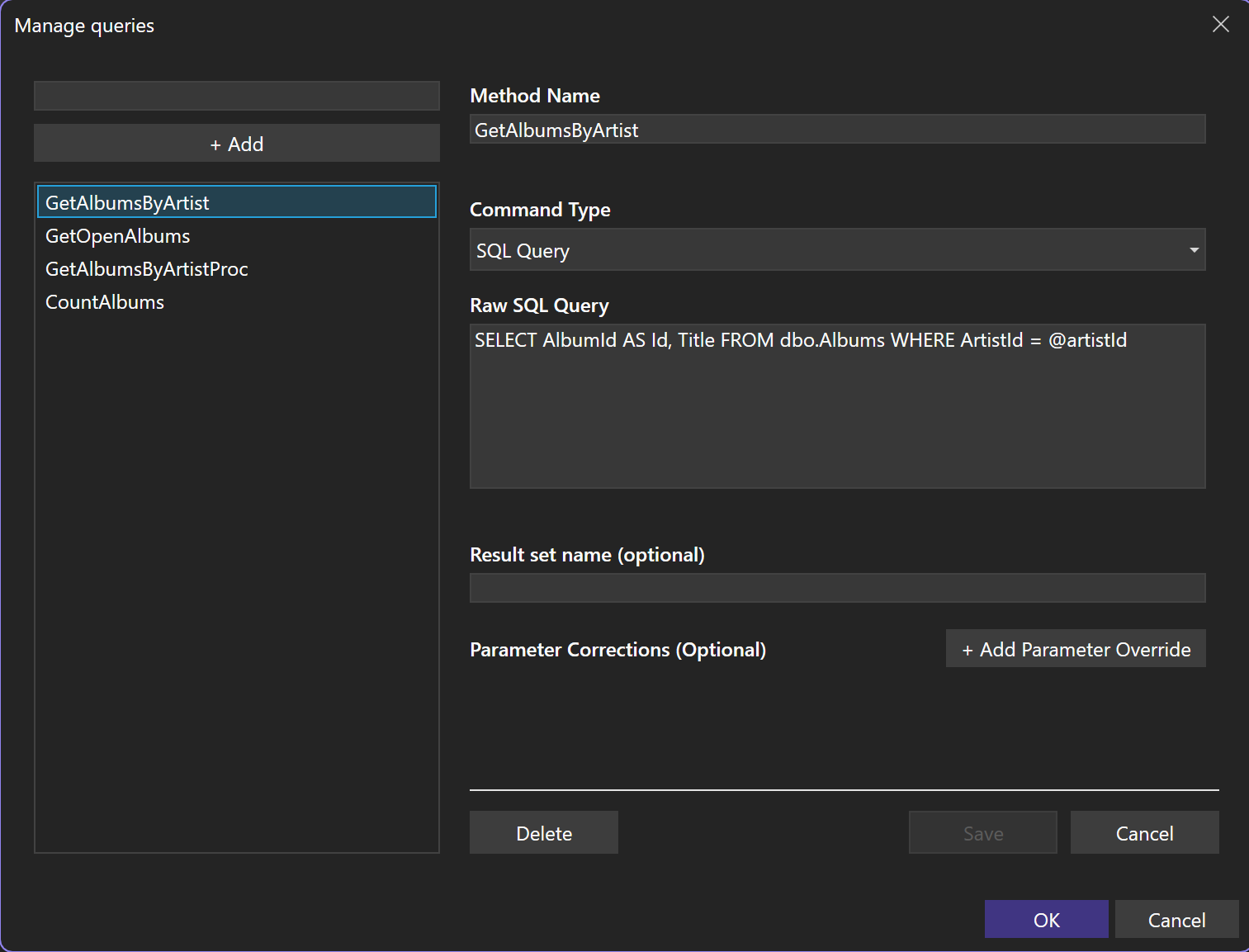
  1. Configure. From the Rinku Power Tools menu, set a connection and a list of queries. The managers write a rinkupt.json next to your project.
  2. Generate. Refresh regenerates the current item, Refresh all regenerates everything, Update refreshes the generated file.
  3. Use. Call the generated method and map the result.

What it generates

For a query named GetTracksByAlbum with one parameter:

namespace MyApp.Data;

public static class DbCommands {
    /// <Command cref="GetTracksByAlbumResult" />
    public static DbCommand GetTracksByAlbum(this DbConnection connection, int albumId) {
        var command = connection.CreateCommand();
        command.CommandText = @"SELECT TrackId AS Id, Name AS [Track Name], UnitPrice FROM tracks WHERE AlbumId >= @albumId";
        command.CommandType = CommandType.Text;
        command.Add("@albumId", DbType.Int32, albumId);
        return command;
    }
}

/// <Schema LastUpdated="2026-06-28T14:05" />
public partial record GetTracksByAlbumResult(int Id, [TrueName("Track Name")] string TrackName, decimal UnitPrice);

Rules the generator follows:

  • Return shape. No columns gives a command-only method. One simple column gives that scalar type. Otherwise a {MethodName}Result record, or your configured ResultSetName.
  • Stable output. Regenerating rewrites only the result records whose columns changed.
  • Resilient. A query that fails to introspect emits an #error block with the details, the rest still generate.
  • Naming. A column that is not a clean C# identifier gets a [TrueName("...")] so mapping still lines up.

The <Schema> tag on the record is what the analyzers use to flag hand-written types that drift out of sync.