Configure CodeGen
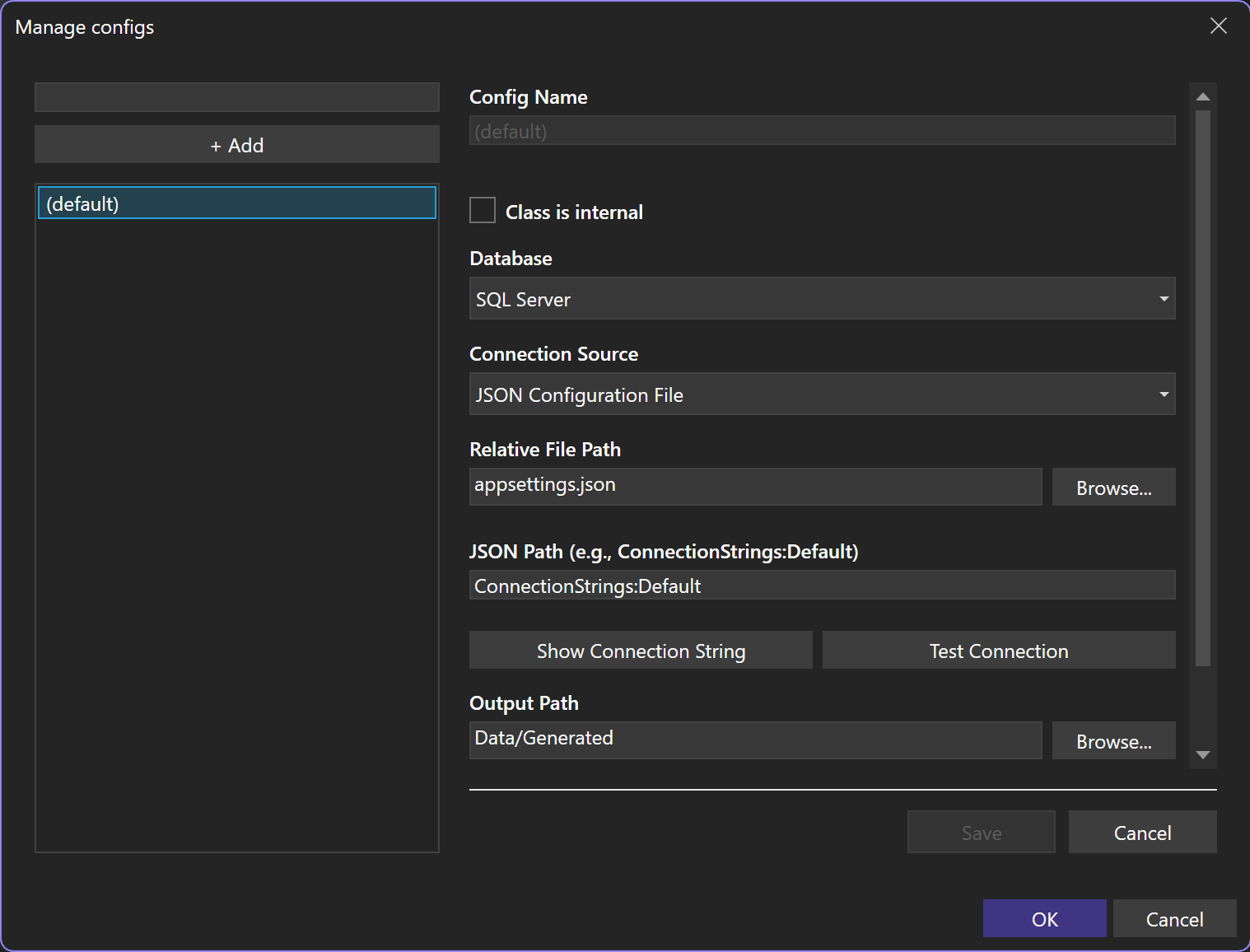
The configuration manager writes rinkupt.json in the project.
JSON connection source
{
  "JsonFile": "appsettings.json",
  "ConnectionExtractionPath": "ConnectionStrings:Default",
  "OutputPath": "Data/Generated",
  "Namespace": "MyApp.Data"
}
{
  "ConnectionStrings": {
    "Default": "Server=.;Database=Music;Trusted_Connection=True;TrustServerCertificate=True"
  }
}
ConnectionExtractionPath walks JSON properties with : between names.
Connection check
Connection Source     JSON Configuration File
Relative File Path    appsettings.json
JSON Path              ConnectionStrings:Default
Show Connection String resolves the configured source. Test Connection opens the resolved connection through the selected or inferred provider.
Database provider
The database selector supports automatic detection and explicit providers.
{
  "Database": "Sqlite",
  "RawConnectionString": "Data Source=mydatabase"
}
Supported provider values are shown in the configuration reference.
Output
Output Path    Data/Generated
Namespace      MyApp.Data
Internal       false
The output path is project relative. Without an explicit namespace, CodeGen derives one from the project namespace and output path.
{
  "OutputPath": "Data/Generated",
  "Namespace": "MyApp.Data",
  "IsInternal": true
}
IsInternal changes the generated command class accessibility.
Named configurations
rinkupt.json
rinkupt.Reporting.json
rinkupt.Admin.json
Each file keeps its own connection source, queries, output path, and generated command file.
Environment variable
{
  "EnvironmentVariable": "MUSIC_DB"
}
XML
{
  "XmlFile": "App.config",
  "ConnectionExtractionPath": "//add[@name='Default']/@connectionString"
}
Dot env
{
  "DotEnvFile": ".env",
  "ConnectionExtractionPath": "MUSIC_DB"
}
INI
{
  "IniFile": "settings.ini",
  "ConnectionExtractionPath": "[Database]ConnectionString"
}
MSBuild property
{
  "MsBuildProject": "MyApp.csproj",
  "ConnectionExtractionPath": "CodeGenConnectionString"
}
User secrets
{
  "NetUserSecrets": "MyApp.csproj",
  "ConnectionExtractionPath": "ConnectionStrings:Default"
}
The project file supplies the UserSecretsId used by this source.
Launch settings
{
  "LaunchSettings": "Properties/launchSettings.json",
  "ConnectionExtractionPath": "Development:MUSIC_DB"
}
The first path segment selects the launch profile. The second selects its environment variable.